Products

Three intake channels. One platform.

Voice, Digital, and Desk Intake are the ways information enters. DryScout Pro is where it becomes one structured intake and where your team works.

Voice Intake

AI intake specialists on every call.

Sarah, Brian, and Emily answer 24/7. They are AI, built for property management, and they do more than take a message.

Resident questions and property issues
Maintenance and property incidents
Prospective renter inquiries
Property-owner and HOA calls
Vendor and partner communication
After-hours and overflow intake
Customer-defined escalation paths
Preferred-vendor workflows and $0 NTE approval rules

Every call ends as a structured intake in DryScout Pro with the caller, property, reason, urgency, an AI summary, the transcript, and the recording.

PRO Lands in DryScout Pro as Channel: Voice
AI Intake Specialists

Sarah, DryScout AI intake specialistAI · 24/7
Sarah
AI Intake Specialist
Primary voice for live property intake. Resident issues, maintenance requests, and general calls.
Brian, DryScout AI intake specialistAI · 24/7
Brian
AI Intake Specialist
Structured property incidents, urgency, and after-hours requests.
Emily, DryScout AI intake specialistAI · 24/7
Emily
AI Intake Specialist
Prospective residents, leasing inquiries, and business calls.
Digital Intake

Property intake, without the phone call.

Some residents want to call. Others would rather report an issue from their phone. Digital Intake is a guided, four-step form for residents reporting a property issue.

Property address and unit
Category: Maintenance, Water / Leak, HVAC, Electrical, Access / Lock, Noise / Property Concern, Question / Request, Something Else
Emergency or standard, and when it started
Details in the resident's own words, plus contact information
Reference number returned on submission

Digital Intake is part of DryScout. Residents reach it at dryscout.net, and each submission is recorded as a Digital intake in DryScout Pro.

PRO Lands in DryScout Pro as Channel: Digital

Live example. Try it. Nothing entered here is submitted.

Desk Intake

Structured intake for what your team handles directly.

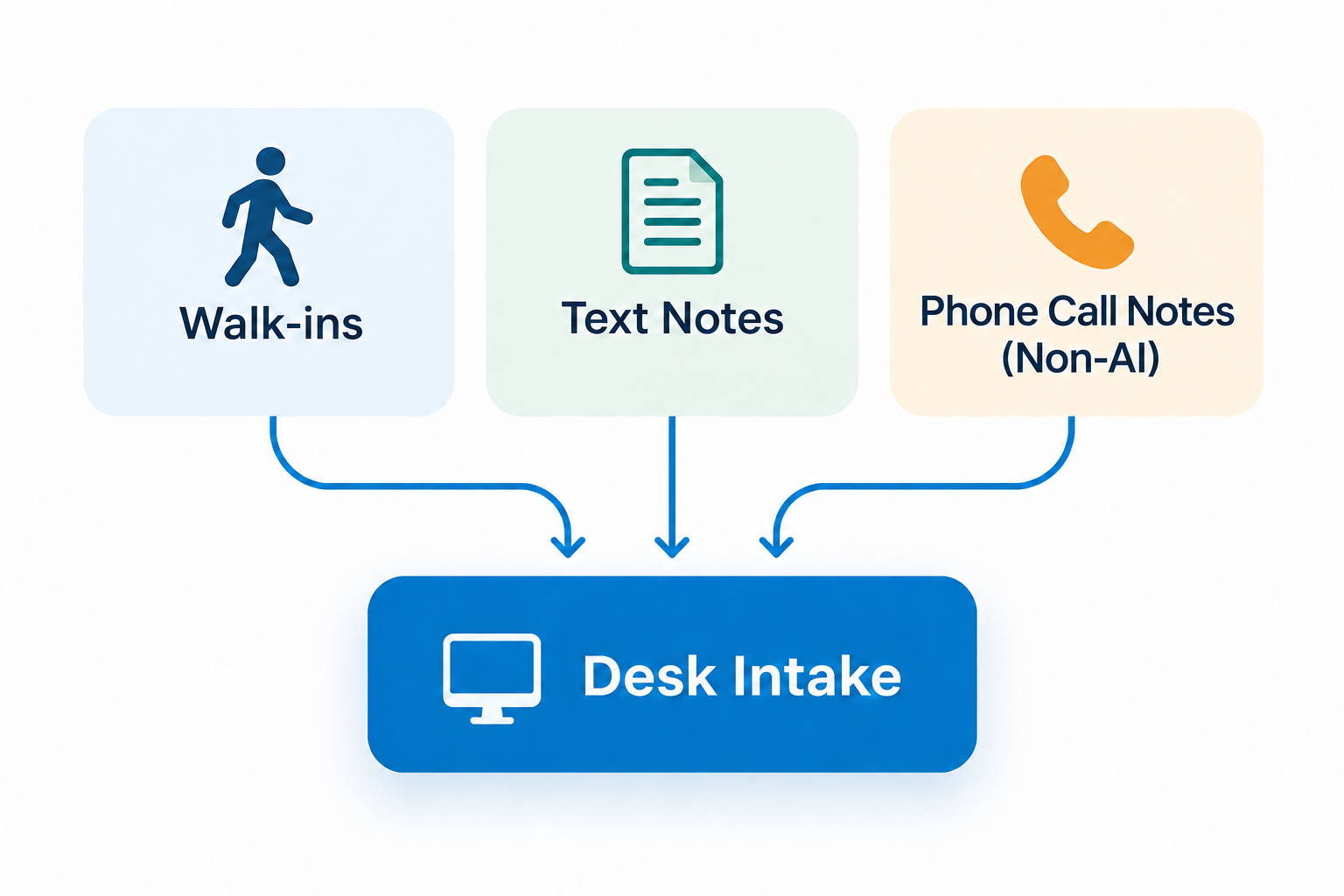
A walk-in, a text to a manager, a call your staff answered themselves. Desk Intake is the form inside DryScout Pro that gives staff a structured way to capture it, so it lands in the same list as every Voice and Digital intake.

Same caller, property, urgency, and request fields as every other channel
Required fields enforced before submission
Recorded as Channel: Desk with status New, ready to assign
PRO Lands in DryScout Pro as Channel: Desk
Desk Intake: walk-ins, text notes, and non-AI phone call notes flow into Desk Intake

Desk Intake form in DryScout Pro, rendered from the current application’s sections, fields, required markers, and system info. Sample values are illustrative.

DryScout Pro

The product your team logs into.

Every Voice, Digital, and Desk intake opens as one kind of record, sits in one list, and rolls up to one dashboard. Three views, one story.

1 · One intake

Unstructured inputs become one structured intake.

A phone call, an online report, and a note from the front desk all arrive in the same format. Your team works every request from one record.

Who reached out and how to call them back
Property, unit, and what happened
Urgency, and whether the issue is still active
Channel it came through: Voice, Digital, or Desk
Assigned owner and intake status
AI call summary, recording, and activity history

Intake Details view in DryScout Pro, rendered from the current application layout and field set. Record contents are illustrative.

2 · Every intake

One list, every channel.

Voice, Digital, and Desk intakes sit in the same list. Search, filter, and sort by date range, urgency, outcome, channel, status, and location. Open any row to the full record.

All Intakes view in DryScout Pro, rendered from the current application’s columns, filters, and vocabulary. Row contents are illustrative.

3 · The whole operation

What came in, how urgent, and where it stands.

Intake volume over time, outcomes, urgency, the latest intakes, and how many are New, In Progress, or Closed, filtered by date range and location.

Dashboard in DryScout Pro, rendered from the current application’s layout, filters, KPIs, and charts. Numbers are illustrative.

Access and handoff. Each team member has their own login. Access is scoped by organization and location and enforced at the database layer. Authorized roles can export the intake list to CSV. DryScout Pro works alongside your PMS; it does not replace it and does not sync to it natively today.

Bring every property request into one place.

Calls, online requests, and staff conversations become one structured intake your team can review, own, and act on.

Book a Demo requests a 30-minute walkthrough with our team. Call to reach Sarah, our AI intake specialist, any time.